How to Replace a Refrigerator Water Filter
Replacing your fridge's water filter regularly keeps water tasting fresh and protects your appliance. We explain the simple steps and when to do it.
Replacing your refrigerator water filter is one of the easiest ways to ensure clean, great-tasting water and ice. Most filters need swapping every six months, but the exact interval depends on your usage and water quality. Here's how to do it yourself in minutes without calling a pro.
Start by locating your filter. It's usually inside the fridge (top right or bottom left grille) or in the base grille. Turn off the water supply if needed, then remove the old filter by twisting or pressing a release button. Install the new filter by aligning it and pushing or twisting until it locks. Flush a few gallons of water through the dispenser to clear air and carbon fines. Your fridge may have a reset button on the control panel to reset the filter indicator light. Regular replacement not only improves taste but also prevents mineral buildup that can shorten your fridge's life.

When Should You Replace the Water Filter?
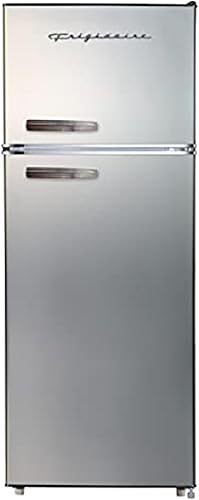
Most refrigerator manufacturers recommend replacing the water filter every six months. But if you notice a drop in water flow, a strange taste or odor, or your filter indicator light turns on, it's time to swap it sooner. Hard water or heavy usage can shorten filter life. Replacing on schedule also prevents clogs that could stress your fridge's water valve. For refrigerators like the Frigidaire EFR753-PLATINUM or Samsung RF18A5101SR/AA, which have built-in filtration, staying on top of replacements keeps ice clear and water crisp.
What You Need Before You Start
Before you begin, grab the correct replacement filter for your model. Check your owner's manual or look up the filter part number online. You'll also need a bucket or towel for any drips, and optionally a pair of gloves to avoid carbon dust. Most filters are easy to swap without tools. For example, the Frigidaire FRQG1721AV uses a standard twist-and-lock filter, while other brands may use a push-button release. Having the right part on hand saves frustration.
Step-by-Step Replacement Guide
First, locate the filter compartment. Inside the fridge, it's often in the upper right corner. Some models, like the Haier QHE16HYPFS, have it behind a grille at the bottom. Turn off the water supply to the fridge if recommended. Remove the old filter by twisting it counterclockwise or pressing the release button. Install the new filter by aligning the arrow or notch and pushing it in until it clicks. Turn the water back on and dispense about 2-3 gallons of water to flush the system. Check for leaks around the filter housing.
How to Reset the Filter Indicator Light
After installing a new filter, you may need to reset the indicator light on your fridge's control panel. The process varies by brand. For Samsung models like the RF18A5101SR/AA, press and hold the 'Ice Type' and 'Child Lock' buttons for 3 seconds. For Frigidaire, press the 'Filter Reset' button for 3 seconds. Some fridges reset automatically after a few days. Check your manual for exact steps. Resetting ensures you track the filter's remaining life accurately.
Common Mistakes to Avoid
Don't forget to flush the new filter. Skipping this can leave carbon fines in your water, making it look cloudy or taste odd. Also, avoid over-tightening the filter; finger-tight is usually enough. If you encounter a leak, check that the O-ring is seated properly and the filter is fully engaged. Another mistake is buying a knockoff filter that doesn't fit or meet quality standards. Stick to OEM or certified replacements to protect your warranty and water quality.
What If Your Fridge Doesn't Have a Water Filter?
Many budget-friendly or compact refrigerators, such as the Galanz GLR44BEER or Summit Appliance AL55, do not include a built-in water filter. In that case, you can use a countertop water filter pitcher or an under-sink filtration system to improve drinking water quality. This is a simple workaround that doesn't require modifying your fridge. For those who want filtered water straight from the door, consider upgrading to a model with a built-in filter like the Frigidaire EFR753-PLATINUM, which includes a basic filter option.
Choosing the Right Replacement Filter
Always use the filter specified by your fridge's manufacturer. Generic filters may fit but often lack the same filtration performance or certification. Check your fridge's model number and look up the compatible filter. For the Samsung RF18A5101SR/AA, that's usually the Samsung HAF-QIN, while Frigidaire models commonly use the Frigidaire WF3CB or similar. Prices range from $20 to $60 for a single filter, but buying a multi-pack can save money. Filter quality directly affects water taste and mineral reduction, so invest wisely.
Frequently asked questions
How often should I replace my refrigerator water filter?
Replace it every six months or when you notice reduced water flow or off-taste. Some fridges have an indicator light that signals when it's time.
Can I use any water filter for my refrigerator?
No. Always use the filter specified by your fridge's manufacturer to ensure proper fit and filtration. Generic filters may not meet safety standards.
Do I need to turn off the water supply to change the filter?
Most fridges don't require turning off the water supply, but it's a good idea to avoid spills. Check your manual for specific instructions.
Why does my water taste bad after changing the filter?
You likely didn't flush enough water. Run 2-3 gallons through the dispenser to clear out air and carbon dust. If it persists, check for proper installation.